envisionit is Koetter’s proprietary design and specification library, giving dealers, architects, builders, and designers instant access to over 10,000 architectural drawings, including mouldings, stile and rail doors, stair components, and more.
Whether you select an item that is available from Koetter Woodworking’s stocking inventory, or our extensive offering of special order products, tooling is on the shelf for every profile featured within the envisionit library!
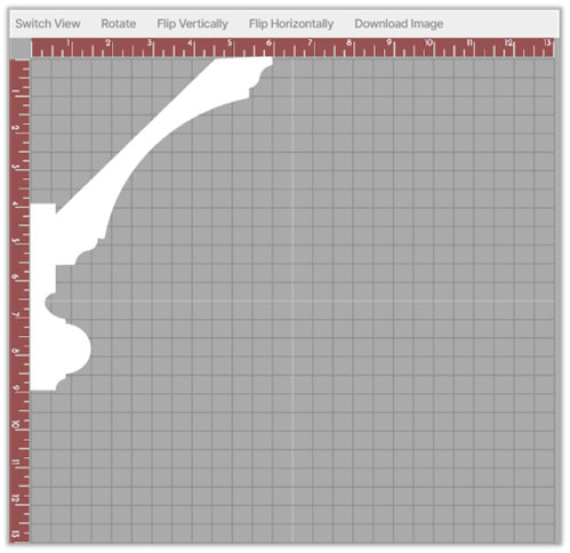
The envisionit layout designer tool lets you create your own individual moulding combinations, utilizing the extensive selection of drawings featured in the envisionit profile library.
Not only does envisionit simplify the selection process, it can save time and money when specifying architectural millwork and door components.
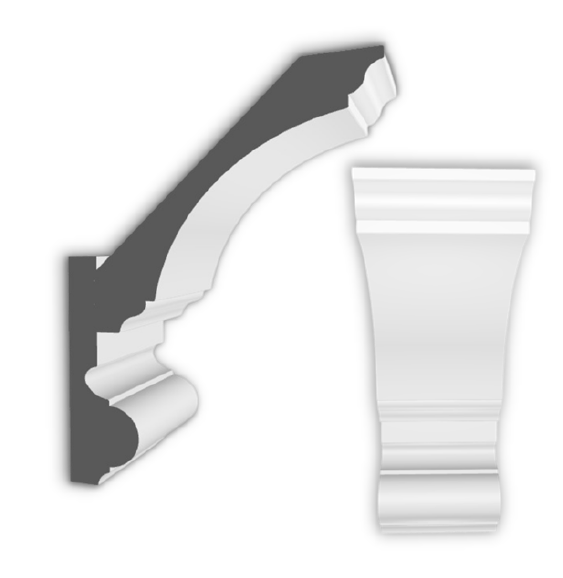
Your images can easily be converted from 2D to 3D format with just a simple click. This 3D model can be rotated and viewed from multiple angles, providing you and your clients with a visual reference of the design.
This unique tool can save you time and money, eliminating the need for costly, short moulding runs for samples.
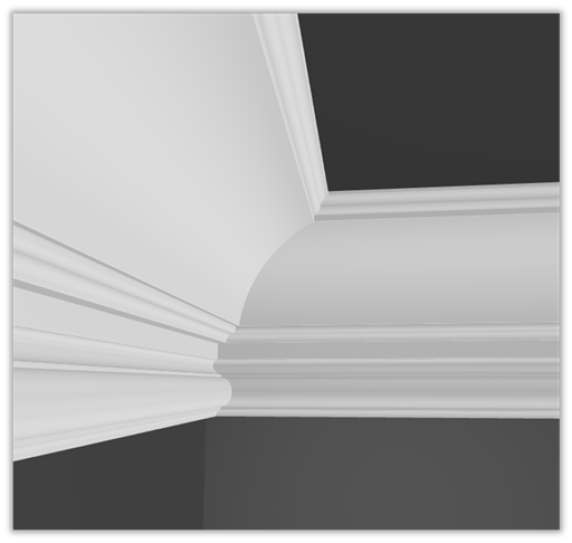
One of the most exciting features of the layout designer is room application rendering! Whether you are creating a crown, base, casing, or chair rail combination, these realistic renderings will provide you with a visual representation of what the products will look like once they are installed.
All images within the layout designer may be printed, and are frequently utilized on job sites to provide the installer with details on how the components are designed to fit together.
envisionit Video Tutorials
Want to get the best user experience with envisionit? Take a few minutes to watch these video tutorials, providing you with essential information on how to take advantage of all of the features envisionit has to offer!
Let’s Get Started!
Whether you are new to envisionit, or a seasoned user of our original program, this tutorial will walk you through the registration process and highlight some of the exciting new features within the updated program.
How to Search
In this video, we review the various search functions within envisionit. Understanding these search options will help you to locate those items you are looking for, more quickly and easily!
Utilizing the Layout Designer
Learn how to navigate within envisionit’s unique layout designer tool, allowing you to create your own individual moulding combinations by choosing from Koetter Woodworking’s extensive profile library.